
Appearance
Documentation
Introduction
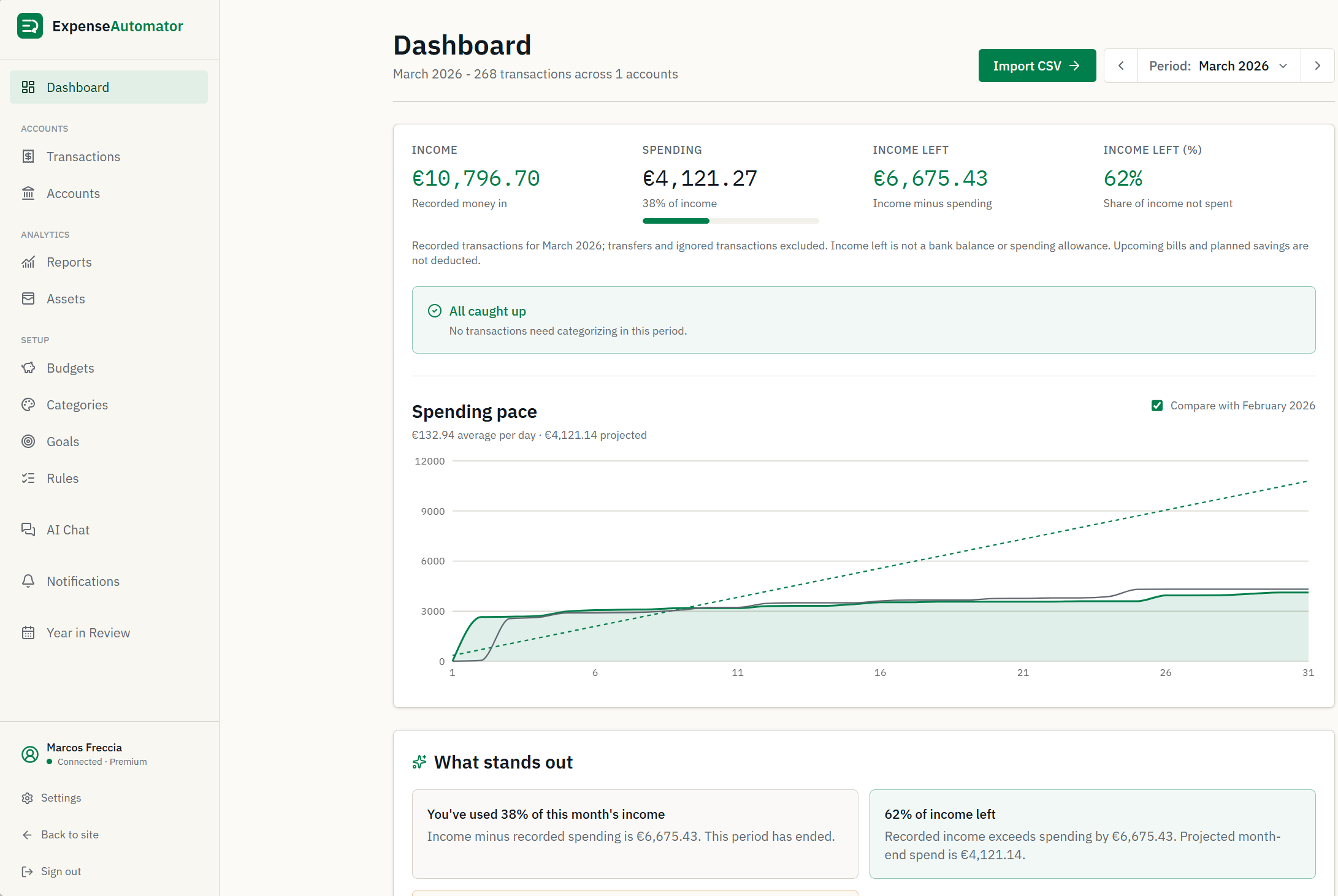
ExpenseAutomator brings transaction tracking, budgets, goals, and practical spending insights into one focused workspace.
Use it to turn exported bank activity into an organised view of everyday finances. Import transactions, review how they are categorised, build budgets around the areas that matter, and follow progress over time.
What you can do
ExpenseAutomator connects the tasks that are usually spread across statements and spreadsheets:
- Bring transactions together by importing original CSV exports from supported financial institutions.
- Keep spending organised with categories, tags, and reusable categorisation rules.
- Plan ahead with budgets, savings movements, and financial goals.
- Understand patterns through dashboard summaries, reports, and spending insights.
- Share selected finances with household members while keeping access controlled.
How this documentation is organised
Start with the onboarding guides, then move into individual feature guides when you need more detail.
Start hereGetting startedCreate an account, complete setup, and reach your first useful dashboard.PlanBudgetsTurn organised transactions into practical spending limits.
Looking for the app? Open ExpenseAutomator to sign in or create an account.